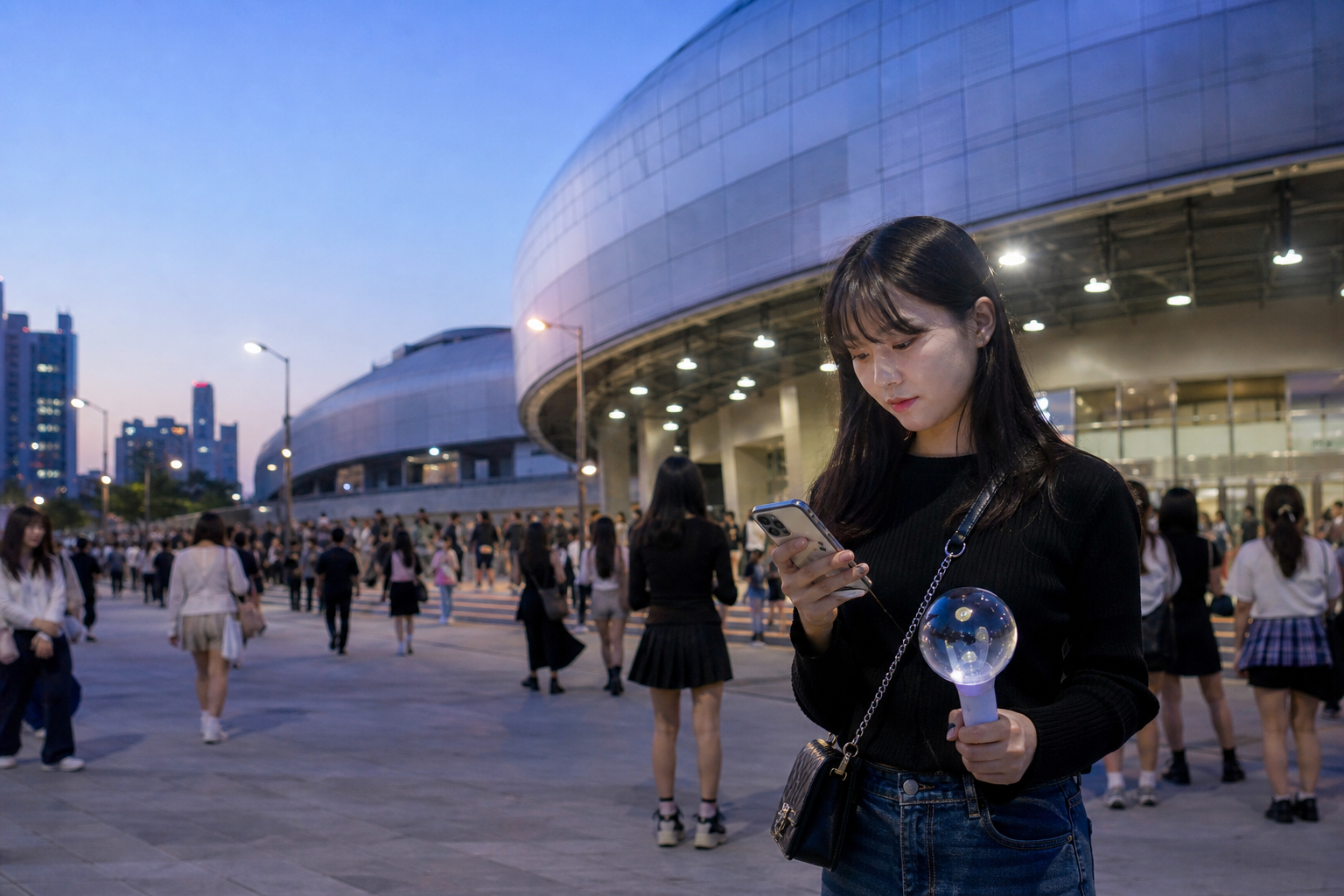
Concert-day internet use has one unusual trait: it is not spread evenly across the day. In the afternoon you are finding the venue, before entry you are looking for the queue, and after the show tens of thousands of people are opening their phones at the same time. That compresses a few critical tasks into a very short window. On an ordinary day, a navigation refresh can wait two minutes. After a concert, that delay could mean missing the exit you agreed on with your companion, heading the wrong way for a shuttle, or only realizing your ride-hailing app won’t load when you are standing at an unfamiliar intersection. Before choosing a plan, identify the moments that absolutely cannot fail; only then do data and duration matter.
An entry ticket alone is not a backup connection plan
Digital tickets, membership pages, or pickup notifications may require login, SMS verification, or reloading over the internet, but the rules vary by organizer and ticketing system. The safest approach is not to keep sending around screenshots with sensitive barcodes. Instead, while you still have stable connectivity, confirm the official rules, prepare whatever can be displayed offline, and keep your order number and the official customer service channel handy. If the ticket requires a dynamic display, at least keep the phone charged, stay signed in, and make sure there is a usable data route.
This is also why installing an eSIM for the first time at the venue gate is risky. Any problem in installation, mobile data source selection, data roaming, or network registration gets added on top of ticket-check pressure. Before you leave, do a phone compatibility check and decide installation timing based on the QR code start rule. After arrival, test activation in the prescribed order; do not treat the queue outside the venue as technical support time.
Companions also should not rely on “we’ll message each other when we get there.” Agree in advance on a meeting point that can be described without the internet—for example, a specific exit, a subway station number, or a nearby landmark—and save the venue address in everyone’s map app. It may seem unrelated to eSIMs, but in practice it reduces how much you have to rely on instant messaging when the network gets briefly congested.
If you are changing hotels or heading home late that day, save the accommodation address and your transport backup too; those details do more to prevent getting separated than one extra social media refresh.
Once your ticket and itinerary are fixed, check the plan’s validity period, data allowance, and activation rules so everything is set before departure.
Crowds after the show won’t automatically burn through GB, but they do raise the cost of having no backup
When a venue is crowded, the common feeling is, “The signal is full, but everything is slow.” That does not necessarily mean your plan’s data is exhausted; it may simply mean the nearby base stations are being used heavily at the same time. In that situation, repeatedly reloading high-resolution video, running speed tests over and over, or connecting everyone to one hotspot usually only increases battery drain and anxiety. Start with a small test: turn off Wi-Fi, search the map for your return station name, send a plain-text message, and open your transit ticket or ride-hailing page. If those three things work, you already have enough for most post-show decisions.
The things that really eat data are usually automatic cloud backups, live streaming, long stretches of short-video viewing, and repeatedly uploading clips from the performance—not checking the map once. If you want to keep video, first turn off automatic photo backup over mobile data and handle it later on hotel Wi-Fi. Posting a story and finding the correct subway entrance at 1 a.m. are different priorities; don’t let the first one consume the buffer needed for the second. For usage estimates, see how many GB a Korea eSIM needs.
Also, don’t assume that buying unlimited data is the answer just because you are worried about congestion. Unlimited plans may still have fair-use, speed-reduction, or hotspot limits, while fixed-data plans are not automatically too small. When comparing, look at what you will actually do, whether companions will separate, whether your phone can be charged, and when you will next need data. A product name is not a guarantee of real-world connection performance.
One person carrying the hotspot means the whole group’s return trip depends on their battery
If friends are sharing one eSIM, first confirm whether that exact plan allows hotspot use, then picture the least convenient scenario: the person holding the phone goes to the restroom, gets on the vehicle first, or drops to 10% battery, while everyone else needs directions at the same time. That is not to say hotspot cannot be used; it is suited to short-term backup, not as the only foundation when everyone may be moving separately. For venues, crowded areas, and late-night returns over a long distance, everyone should at least have an offline address and a meeting point.
If the phone starts heating up or the battery drops fast, first reduce screen brightness, background backups, and unnecessary apps, and keep mobile data available for maps, messaging, and tickets. Make sure the power bank is charged before entry, and do not wait until after the show to take out your charging cable for the first time. This is not accessory anxiety; it is a way to reduce the chance that one eSIM has to act as your network hub, navigation tool, ticket wallet, and camera all at once and then fails. For hotspot limits and alternatives, see whether a Korea eSIM can share data.
If companions may split up, check hotspot and data-use rules first, then decide who needs an independent connection.
Concert-day settings should be finished during the day
Before you leave, check four things: the travel eSIM is active, mobile data is assigned to the travel card, data roaming is turned off for the original line, and roaming is enabled only for the travel card if the product requires it. Keeping your Taiwanese number available for necessary SMS is fine, but it should not take over data automatically. Dual-SIM settings may seem like a small detail, but they are your first defense against surprise charges. If you are not sure which card is actually going online, check each item step by step according to the division of roles between your Taiwanese number and Korea eSIM.
Next, leave hotel Wi-Fi and test a webpage you have not loaded before, a map route to the venue, and a message. That is more reliable than seeing 5G in the status bar. If you have signal but cannot get online, do not delete the card while on the bus or in line; troubleshoot in this order: data source, roaming, plan status, and APN. If there is no signal at all, handle network registration and whether the eSIM is still installed in the phone separately. The two situations can be handled with the signal but no data and no signal at all workflows.
Ten minutes before the show ends, open two return options: public transit and an alternate walking route to a less crowded area. Do not wait until the crowd starts moving to search for them for the first time. Venue details, the Seoul subway, and transport arrangements may change depending on the event; on the day, follow the organizer’s, venue’s, and transport authorities’ official information. An eSIM can provide data, but it cannot make outdated information become the right route.
Before choosing a plan, you only need to answer three uncomfortable questions
First, if you and your companions get separated, do you have a meeting point that you can reach without instant messaging? Second, if your phone starts slowing down, have you already saved the ticket, address, return station name, and backup exit in an offline screen? Third, if your original number suddenly receives an SMS, can you be sure mobile data is still being handled by the travel eSIM? If you can answer all three, there is no need to overbuy features or data. If you cannot, fix the setup and backup plan first, then think about how much more data to buy.
Another easy-to-miss cost is handing your phone to someone for a hotspot and then realizing the data source was switched incorrectly. Before and after the show, many people need to contact someone, and anyone may casually open video, cloud photos, or navigation. If your original line still allows data roaming, even that kind of brief use may change the charges. Label the data SIM clearly and make sure companions know before leaving who can turn on a hotspot and who should only keep offline data. That will save both on-site explanations and reconfiguration.
Your concert internet choice should not be driven by anxiety. You do not need to pay for every worst-case scenario, and you also do not need to pretend every venue is equally smooth. Give the network the specific tasks it is meant to handle, keep photos and videos for Wi-Fi, and turn your companion plan into something that still works when the signal is poor. That is how you get back to your accommodation comfortably after the show.
Once your return trip, ticketing, and companion plan are confirmed, choose a Korea eSIM that actually matches the length of your stay.
Next step after the concert
Fold your connectivity setup back into the rest of your Korea trip
- If you film and navigate: go back to data-usage judgment
- Sharing internet with companions: check hotspot limits and risks
- Keeping Taiwanese SMS: assign roles to both SIMs
- Not tested yet: finish the first connection outside hotel Wi-Fi
- Still undecided on a plan: start from the moments that cannot disconnect
Sources and verification
- Apple Support: mobile data roaming options
- Google Pixel Help: mobile data and roaming settings
- Apple Support: using dual SIM with eSIM
- Ticketing, verification, venue entry, transport, and event arrangements are subject to the latest official announcements from the organizer, ticketing platform, venue, and transport authorities.