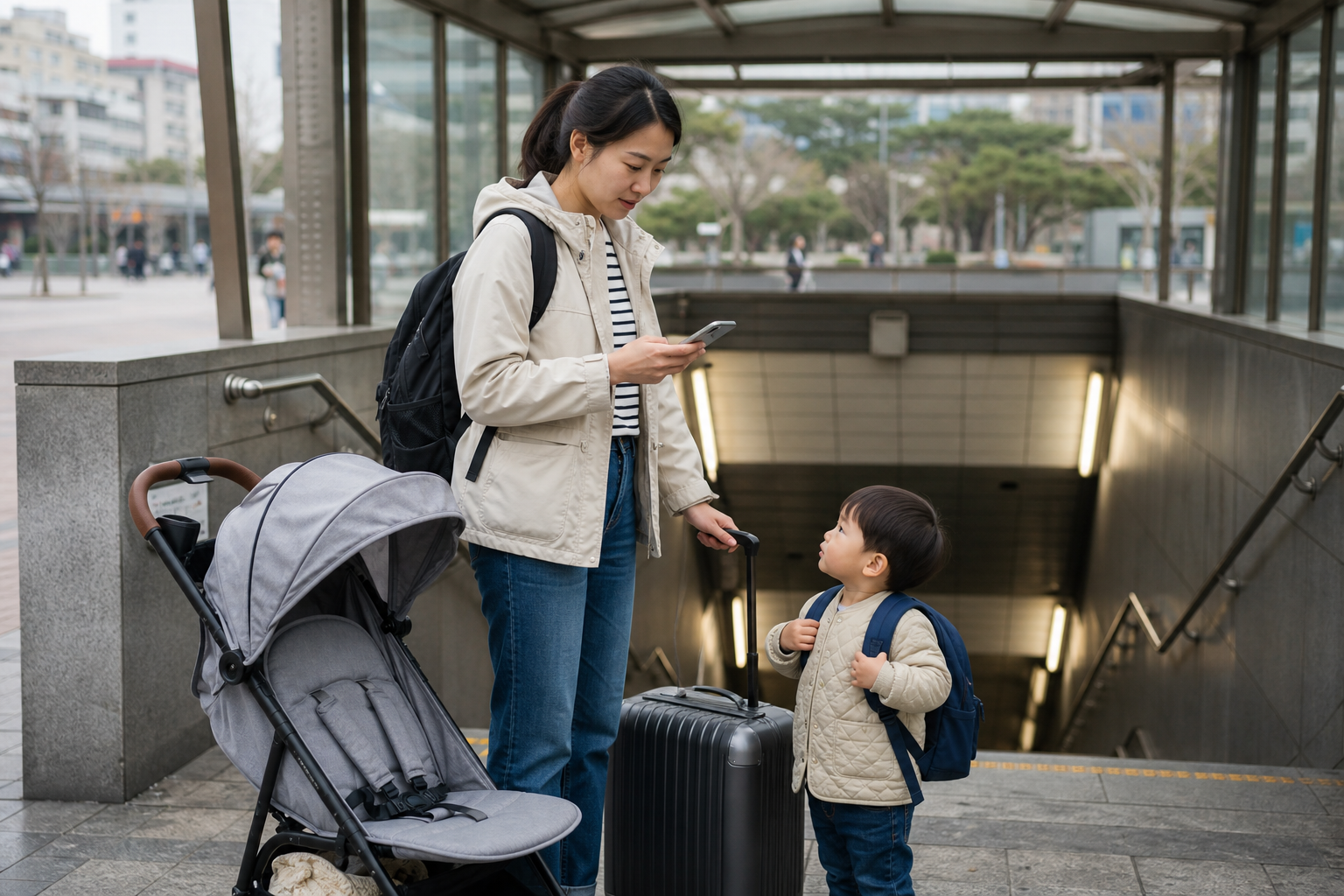
On a family trip, you do not necessarily need to buy an eSIM for every person—but you do need to admit one thing first: you will not always be standing together. One person is waiting by the elevator with the stroller, another is taking a child to the restroom, someone has gone back for a forgotten coat, and someone else has already reached the front desk to check in. In a familiar city, those brief splits are usually fine. In an unfamiliar subway system, in the rain, or after dark, they can turn one phone into the only device handling navigation, translation, transit, contact, and emergency information at once. That is the starting point for choosing a plan—not simply asking which data allowance looks cheapest.
Strollers, luggage, and children can turn a two-minute transfer into much more
At Seoul subway or airport transfers, even an adult traveling alone needs to check the route to find the right exit. Add a stroller, luggage, and a child, and the elevator location, accessible route, restroom, and rest stop can all change the way you would otherwise go. Before you leave, save the accommodation address, nearest station name, return exit, and hotel phone number, and download the necessary map area while you still have Wi-Fi. The point is not to replace live navigation—it is to make sure that if the signal slows briefly, you still know what to look for next.
The first day is especially not the time to leave setup until the last minute. When a child is tired, luggage is heavy, and arrival or pickup timing is uncertain, nobody wants to be rescaning a QR code on the street. First complete your device compatibility check and save your order and activation rules; after landing, assign mobile data to the travel eSIM, enable roaming on the travel SIM only if the product requires it, then turn off Wi-Fi and test maps and messaging. For the full sequence, see how to activate a Korea eSIM after arrival.
When a child suddenly needs water, a diaper change, or a rest break, the day’s transport plan can stop working immediately. At that point, the most useful thing online is not searching ten new attractions, but confirming nearby stations, your accommodation, and backup transport options. Leaving some distance and time cushion in the day does more to reduce family stress than buying what looks like the largest data package.
If your family itinerary is already set, check the validity period, activation rules, and data allowance first so the first setup happens before the children are overtired.
Being separated is not the problem. Having no reunion rule is.
For families, the most practical network backup often starts with an agreement that does not depend on the network. Before entering a subway, department store, or crowded area, say clearly where you will wait if you get separated: which exit, service desk, ticket gate, or storefront. If the child is old enough to understand, make sure they also know where the adults’ names and accommodation details are stored. This is not about dramatizing risk; it is about preventing adults from defaulting to “I’ll message first” when congestion makes that impossible.
If two adults are each handling a child, or if one person goes to buy tickets while the other stays with the stroller, it is best not to leave data only on the main phone. Each person can use their own travel data, or the other phone can occasionally connect through a hotspot. But the latter only works if the product allows sharing, the host phone can handle the battery drain, and the two adults will not be apart for long. If the trip includes shopping in separate groups, someone needs to work, or each person needs to check things independently throughout the day, separate connections usually create less friction than hotspot sharing. You can review the conditions first in how to judge hotspot use on a Korea eSIM.
Do not connect a child’s tablet or a parent laptop to the hotspot and then forget about it. Background updates, video downloads, and cloud photo backups can quietly consume data and battery. If you want children to watch offline videos while traveling, download them to the device before departure; keep mobile data for maps, contact, tickets, and essential searches. That split is more direct than guessing whether you should buy 5GB or 10GB.
Keeping your home number for SMS does not mean it should carry the whole family’s data
Parents often need to receive verification messages from banks, airlines, insurers, or hotels, so keeping a Taiwan number active makes sense. But the data source should still be clearly assigned to the travel eSIM. If your phone has an automatic mobile data switching setting, weak travel SIM signal can cause it to switch back to the home number and trigger roaming charges. Before departure, rename the travel SIM so it is easy to recognize, turn off roaming on the home number, and confirm which line is set as the default for mobile data. For dual-SIM setup, check each item against settings for a Taiwan number and a Korea eSIM.
If you have signal but cannot get online, do not reset every network setting in front of the children all at once. First check the data source, travel SIM roaming, and plan status; no signal and signal without data require different fixes. Save troubleshooting for a time when you have a seat, access to charging, or the children are already settled—it is safer than frantically removing cards beside a platform. You can follow separate workflows for signal but no data and no signal at all.
If two adults will be handling children and luggage separately, check hotspot and usage rules now before deciding whether you need two data paths.
Before you buy data, look at what the parent’s phone will actually do
Data usage on a family trip is not always high, but it does tend to spike unexpectedly: playing videos while waiting, finding a pharmacy at the last minute, using translation for food allergies, auto-backup of photos, turning on a hotspot for a tablet, or handling work outside the hotel. Do not assume usage is low just because “the kids aren’t using phones.” What matters is whether the parent’s main phone is serving multiple people and multiple devices at once. For a usage estimate, go back to how many GB a Korea eSIM needs, and count videos, hotspots, and work separately.
At the same time, you do not need to buy unlimited data just because you are traveling with children. If the children’s content is already downloaded, each companion has their own data, or most of the trip uses hotel Wi-Fi, a fixed allowance may be enough. Before deciding, ask yourself: what is the worst stretch? Is it a late-night arrival, a stroller transfer, a day split into two groups, or the need to quickly check medical and transport information? Keep data for that stretch rather than piling on unused capacity because of vague anxiety.
The right family eSIM is not the one that keeps everyone online at all times. It is the one that lets each adult know the next step: which card provides data, where to go when a child is tired, where to wait if you get separated, and who still has the address and phone number if the main phone runs out of battery. Prepare those answers first, and a Korea trip will be much less likely to turn a small incident into everyone staring at the same phone screen.
Once you have sorted the backup plan for children, luggage, transfers, and the route back to your accommodation, choose an eSIM that matches the full length of your stay in Korea.
Next step for a family itinerary
Bring the whole family’s network plan together
- Sharing one card as a family: first decide whether hotspot use is reliable
- Keeping verification SMS: set up the home number and travel SIM
- Videos and tablets: recalculate data usage
- Not yet activated: do the first test at the airport
- Still choosing a plan: start from the moment you cannot afford to lose connection
Sources and checks
- Apple Support: mobile data roaming options
- Google Pixel Help: mobile data and SIM settings
- Apple Support: Dual SIM and mobile data settings
- Childcare, transport, medical care, sightseeing, and accommodation arrangements should always follow each service’s latest official rules; an eSIM cannot replace adult supervision or emergency response.
Turn data setup into a two-minute family check before you leave
Before you head out, have one adult read the checklist once: the travel SIM is active, mobile data is set to the travel SIM, roaming on the home number is off, the accommodation address is saved, the power bank is in the bag, and the meeting point is clear. This check is not meant to turn travel into a military operation; it is meant to keep the things most likely to be forgotten during crying, rushing for trains, and handling luggage in a place where you can still deal with them calmly. Each time you change accommodation or spend a full day in the suburbs, confirm the address and return options again.
If the child uses their own device, agree in advance that it only connects to the hotspot when needed and avoids automatic updates and cloud syncing. If a parent’s phone will be borrowed by a child for maps or videos, make sure the other adult has the accommodation and contact details saved. A data plan cannot do the family division of labor for you, but clear roles keep the same data useful when it really matters.
What you really want to avoid is testing it for the first time at an unfamiliar street corner
The most common network mistake on a family trip is not running out of data—it is leaving all the setup until after arrival. Airport time, station transfers, and hotel check-in are exactly when adults are busiest and children are least patient. If you are still looking for a QR code, switching the default data line, or checking whether the phone can share data, even a small problem can feel much bigger. Installing everything at home before departure, then only turning on the travel SIM at the airport, is far more stable than starting from scratch after landing.
And do not assume that “someone has internet” means the whole family is safe. If a child wanders to the other side of a shop, or another adult pushes the stroller out the wrong exit, both groups need to know the next fixed meeting point. Save the hotel address in Korean, the first day’s itinerary, and emergency contact details as offline screenshots; even if the signal drops briefly, you won’t have to reconstruct everything from memory. The value of an eSIM here is not that it gives you one more product choice—it is that it reduces the chances of family members losing each other in an unfamiliar place.